
When building integrations in Salesforce, HTTP callouts are a routine task. Whether it’s sending data to external APIs or retrieving information from third-party systems, callouts are everywhere.
However, one of the biggest challenges developers face is debugging HTTP callouts when something goes wrong. What if you could automatically log:
- Who made the callout
- What endpoint was hit
- What data was sent and received
- How long the callout took
- And whether it failed or succeeded?
This blog post will walk you through creating a reusable logging tool in Salesforce to track every HTTP callout in your org.
Also Read: Getting Started with Salesforce FlexCards: A Beginner’s Guide
What We’re Building
We’ll build a lightweight HTTP logger utility in Apex that:
- Sends GET/ POST/PATCH/DELETE requests
- Logs request/response metadata
- Tracks success/failure
- Captures user info and callout duration
- Stores everything in a custom Salesforce object for visibility
This logger will make debugging integrations easier and faster.
Logging HTTP Callouts with Timing, Status, and User Details in Salesforce
Step 1: Create a Custom Object for Logging
Create a custom object named Remote_Action_Log__c with the following fields:
| Field Name | Type | Description |
| Timestamp__c | DateTime | When the log was created |
| RequestUrl__c | Text | API endpoint being called |
| Method_Name__c | Text | HTTP method (GET/POST) |
| Request_Body__c | Long Text Area | Request payload |
| Status__c | Picklist | Success / Failure |
| Exception_Message__c | Long Text Area | Error details (if any) |
| Logged_In_User__c | Text (18) | Salesforce user name of who triggered call |
| Response_Status_Code__c | Number | HTTP status code (e.g., 200, 500) |
| Request_Sent_Time__c | DateTime | When the request was sent |
| Response_Received_Time__c | DateTime | When the response was received |
| Request_Duration_Ms__c | Text | Time in milliseconds |
Step 2: Build a Generic Apex Class for Callouts
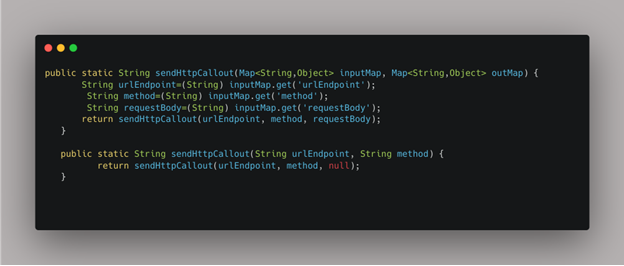
Create an Apex class called HttpCallout that will be used by developers to send HTTP requests in a consistent and trackable way.
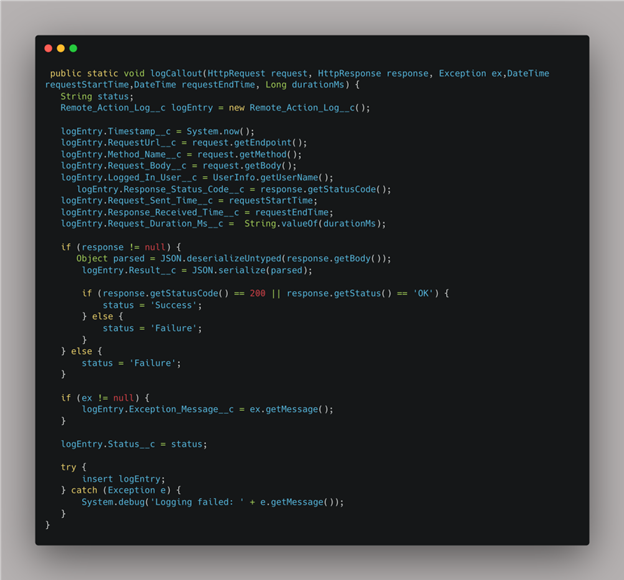
Step 3: Create the Logging Method
Now let’s write a method to log all the request/response details and user context into our custom object.
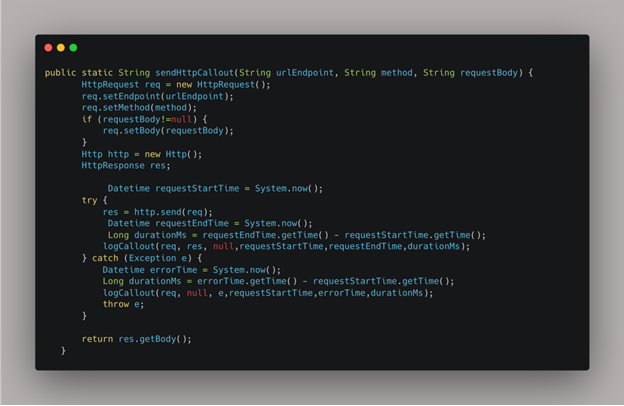
Step 4: Implement the Callout Logic with Logging
Now add the actual callout logic with timing and error handling:
👨💻 How Developers Use It?
This automatically logs everything — no extra effort required.
Viewing Logs
To view logs:
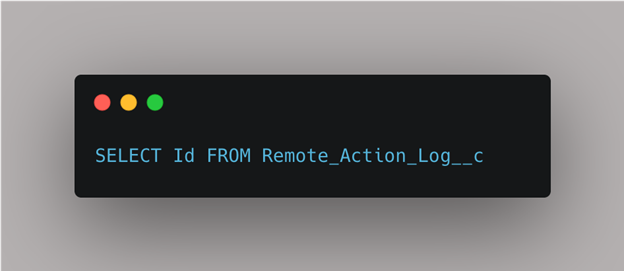
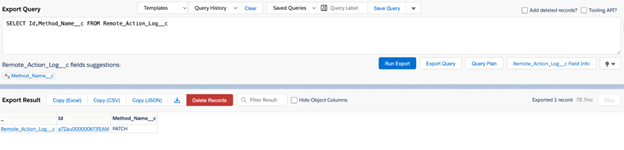
- Use Salesforce Inspector or SOQL:
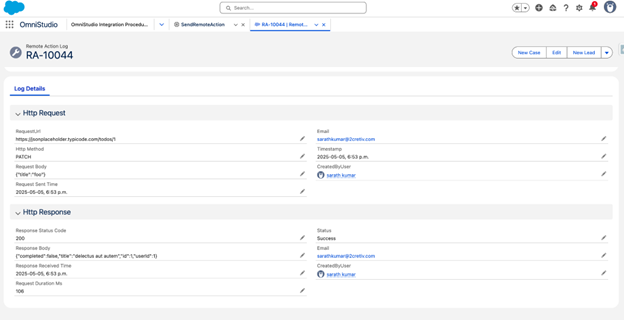
2.Filter logs by id,user, method, or status to debug faster.
3.Click on the record Id to view full details in the Salesforce UI.
Conclusion
With just a few lines of reusable Apex, you now have a robust logging mechanism for all HTTP callouts in Salesforce. This helps:
- Speed up debugging
- Improve visibility
- Increase integration reliability
- Empower developers to find root causes quickly
Logging isn’t just a nice-to-have — it’s an essential part of building enterprise-grade integrations.


