
The Upsert Key in a Salesforce DataRaptor DataMapper is used to determine how Salesforce identifies whether a record should be updated or inserted during an upsert operation.
This is particularly useful for ensuring data consistency and preventing duplicate records.
How to Configure the Upsert Key in DataRaptor DataMapper
Open the DataRaptor Load:
- Navigate to the DataRaptor Load configuration in OmniStudio.
Go to the Field Mappings Section:
- In the Field Mapping section of the DataRaptor Load, you’ll map fields from the input JSON to Salesforce object fields.
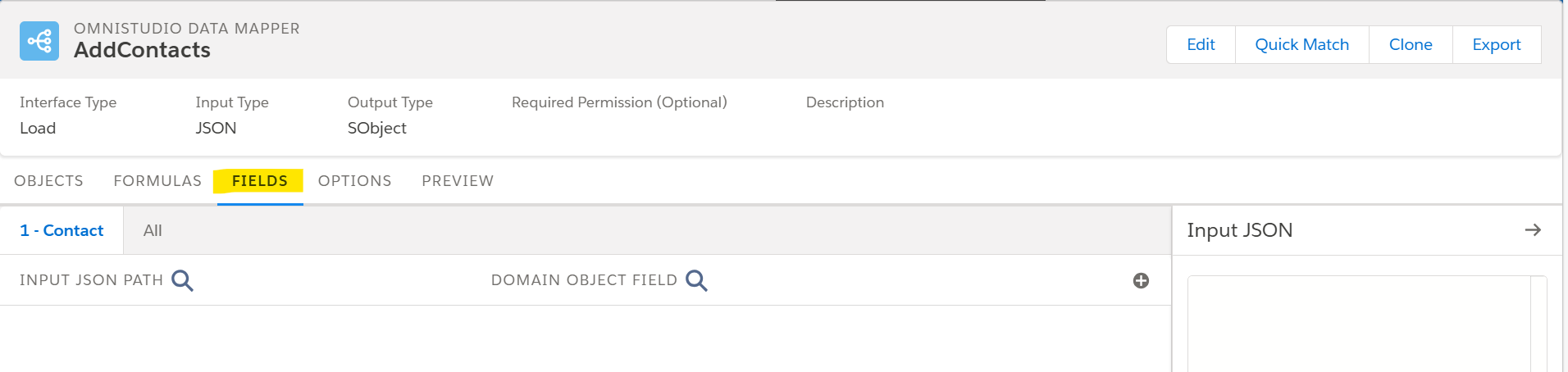
- In the Field Mapping section of the DataRaptor Load, you’ll map fields from the input JSON to Salesforce object fields.
Select or Define the Upsert Key:
- In the Upsert Key column, specify the field or fields to use as the key for the upsert operation. This field must be unique or indexed in Salesforce, such as
Id,External Id, or a custom unique field.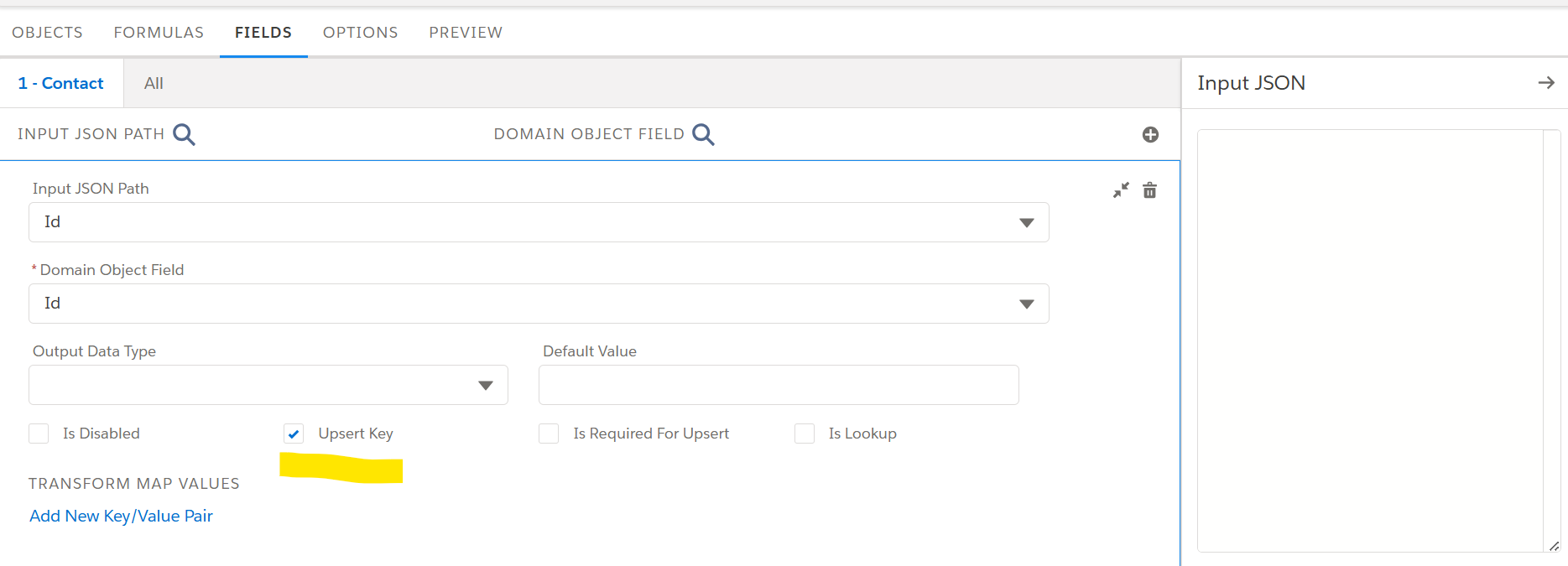
- In the Upsert Key column, specify the field or fields to use as the key for the upsert operation. This field must be unique or indexed in Salesforce, such as
Check External ID Field Settings in Salesforce (if applicable):
- If you’re using a custom field as the Upsert Key, ensure the field is marked as an External ID and Unique in Salesforce.
Input Field Mapping:
- Map the input JSON path to the Salesforce field in the Input JSON Path column.
- Ensure the Upsert Key’s value is provided in the input JSON.
Save and Test:
- Save the DataRaptor configuration and test with different payloads to verify that records are either updated or inserted correctly based on the Upsert Key.
Note: By correctly configuring the Upsert Key, you can streamline data operations, maintain data integrity, and reduce the risk of duplicate records in Salesforce.


